
Free SMTP server works on Windows 98/ME/NT/2000/XP/Vista.
If you have a Wordpress blog to which you want to drive traffic, here is a way to do so. TweetMyBlog is Wordpress plugin that makes it very easy to combine the powers of Wordpress and Twitter - driving massive amounts of traffic
to your blog. When you install this plugin on your Wordpress blog, TweetMyBlog will automatically
1) Post a tweet whenever you update you blog. The tweet will link back to your Wordpress blog, driving a ton of interested visitors your way.
2) Highlight your latest Tweets on your Wordpress blog's sidebar - while increasing your Twitter following
3) Promote your TweetMyBlog affiliate link on auto-pilot, whenever you use the plugin and Wordpress sidebar widget. Earn commissions just for posting to your blog.
And the good thing about TweetMyBlog plugin is that it is 100% free.
To get TweetMyBlog plugin for your Wordpress blog, click on this link.
It's already new years morn and here I am wishing you all a Happy and Prosperous New Year. Hopefully 2009 will bring better opportunities and bright future for everyone.
Yesterday I was testing a script which can automatically generate websites. If you have not heard about it, it is called YACG short for Yet Another Content Generator. You have to install this script on your webserver by uploading. You also have to supply your list of keywords in a file called keywords.txt. Then based on the keywords the YACG script generates web pages by scrapping content from various article sites.
As I have installed apache web server and PHP with curl support on my Ubuntu desktop, I was able to test YACG on my Ubuntu desktop. I must admit that the website generated by YACG is quite impressive. Now before porting it to my domain, I want to change the default template. Hence I am on the look out for templates for YACG.
You can obtain more information by joining YACG forum at http://forums.getyacg.com. Here at the forum you will also find the links to download YACG. Good luck.
Many times we come across web applications which are written in PHP and require curl extension. PHP curl functions can used through use of libcurl. The libcurl was create by Daniel Sternberg. With the help of libcurl you can connect and communicate with webserver using different protocols. To install curl library on your Ubuntu computer, you need to have LAMP (Linux apache mysql php) set up ready. Once you have Lamp setup ready just type in following command in terminal to install curl library,
sudo apt-get install curl libcurl3 libcurl3-dev php5-curl
After installing libcurl you should restart the web server with following command,
sudo /etc/init.d/apache2 restart
If you don't have LAMP functionality already installed, then please click on the following link to find out how install LAMP on Ubuntu Linux,
http://buzznol.blogspot.com/2008/11/install-apache-mysql-php-in-ubuntu.html
FireFTP is a free, secure, cross-platform FTP client for Mozilla Firefox
0 comments Posted by Charles at 6:02 AMFor last few days I have been busy with my new blogs. I am using WordPress platform on a rented domain. With couple of WordPress plugins I turned these blogs into autoblogs. The installed autoblog plugins post content to my blogs automatically. While preparing these autoblogs for operation I came across an interesting utility for Mozilla Firefox.

This utility is called FireFTP and it is a Mozilla Firefox addon. You just install this addon and after customization of toolbar you get a nice small button for a FireFTP on the toolbar in Firefox. When you click on this button FireFTP client opens into a new tab. You can create new FTP account in this FireFTP client and get connected to FTP server at just a click of a button. Another good thing about this addon is that it works on all different platforms be it Windows or Linux.I found this addon very useful and hope that you'll find it too!
To go to the download page of FireFTP just click on this link.
Sometime blogger likes to remove the Navbar from the blogger blog. But if you are not using FTP to post to the blog it is actually against TOS of blogger.com. So make sure that you are not violating TOS before removing the NAvbar. To remove the Navbar, log on to your blogger account. Next select Layout from the dashboard and Edit HTML tab. Now add following code to your blogger template,
#navbar-iframe {
display: none !important;
}
Add this code above variable definitions in blogger template as shown,-----------------------------------------------
Blogger Template Style
Name: Minima
Designer: Douglas Bowman
URL: www.stopdesign.com
Date: 26 Feb 2004
Updated by: Blogger Team
----------------------------------------------- */
#navbar-iframe {
display: none !important;
}
/* Variable definitions
====================
<Variable name="bgcolor" description="Page Background Color"
type="color" default="#fff" value="#ffffff">
The newly added code to the blogger template is shown in a RED font. After modifying the template code do not forget to save the template. Now next time when you will view your blog, you will not see the Navbar.
1. Log on to your account at blogger.com
2. Click on "Layout"
3. Under "Layout" tab, select "Edit HTML" tab
4. Download the template to your desktop for editing, by clicking on "Download Full Template".
5. Open the dowloaded template in the Notepad.
6. In the template you are editing find the following line:-
<p><data:post.body/></p>
7. Just above this line paste following code
<!-- DIGG Begin-->
<div style='float:right; margin-left:10px;'>
<script type='text/javascript'>
digg_url = '<data:post.url/>';
</script>
<script src='http://digg.com/tools/diggthis.js' type='text/javascript'/>
</div>
<!-- DIGG End-->
8. Save the template.
9. Upload the template again to blogger by browsing to the template's file name and clicking on "Upload "button under "Edit HTML" tab.

To use this facility log on to your Gmail account. Then click on Settings. Under Settings tab select General tab. Locate Vacation responder on the General tab.
Once you have located Vacation responder on the general tab, to activate vacation responder feature select the option Vacation responder on using the radio button. Now type the subject and message in the text boxes provided. You can also reply to only those people who are in your address book and avoid replying to news letters by checking the check box Only send a response to people in my contact. That's all. Now whenever you will get a mail, automatic reply will be sent. To switch off vacation responder facility simply select the option Vacation Responder off using the radio button under Settings->General->Vacation responder.

Special features of Keyword Buzz:-
- With Keyword Buzz you can find profitable keywords for your niche or any other niche
- You can analyze your competition in three major search engines
- You can find low competition keywords for high search engine placement.
With keyword Buzz you can find out how many searches are being done daily for a particular keyword. Keyword Buzz also shows you how many results are available in Google, Yahoo and MSN search engines for this particular keyword. This is how you can estimate supply and demand for any keyword which is very important when analyzing keywords for a profitable niche.
Konqueror is not only a web browser but it is also a very good file manager. It is designed as a core part of KDesktop Environment (KDE).If you are used to KDE and now you are migrating to Ubuntu Linux you will surely miss Konqueror in Ubuntu. Here is a good news for you Konqueror can run on various Linux systems including Ubuntu Linux. All you need to to install Konqueror is to give following command (assuming you are connected to the Internet) in the terminal,
sudo apt-get install konqueror
As you are using sudo command you will be asked for your user account password. Just type the passwords and apt-get install command will install Konqueror on your Ubuntu Linux. Happy browsing!!

Now to backup your email account, start Gmail Backup. Enter your gmail login and password in the text-boxes provided. Now select or create a folder on your local computer where you would like to backup your gmail account. Next click on Backup button and your account will be backed up.
You can also restore the backed up data just by clicking the restore button.
If you want to tranfer the contents of your one gmail account to another just back up the gmail account you want to tranfer the contents of, with GMail Backup. Now provide the login and password details of your other gmail account and click on restore button.
Gmail Back up is available for Windows, Mac OS X and Linux platforms. Gmail Backup also supports Google Mail accounts.
To go to the download page of Gmail Backup click on this link.
The missing parts have finally arrived and Gmail is now equipped with voice and video chat. If you have a microphone and a webcam, you can now video chat with your friends directly from Gmail by downloading and installing a special plugin.
The Gmail voice and video chat plugin supports all major browsers which includes Firefox. It gets installed automatically on all the browsers.
The plugin at present works only on on Windows, hopefully in future, it'll will also work on MacOS and Linux.
Unlike Skype though, The Gmail voice and video chat doesn't support direct calls to telephone. But anyway having a PC to PC voice and video chat from Gmail is definitely advantageous.

You may download Gmail Voice And Video Video Plugin By Clicking On This Link
These days many PCs and Laptops like EEE PC come with pre-installed Linux Operating system. Many people just use these Linux based computers for browsing the web, sending & receiving email and for messenger based chats. Most of these computers are single user, stand alone computers. Linux based computer can be made more secure defining who can access it and who cannot. This basic security hack works even when you are not behind a firewall.
To make your Linux based computers more secure all you have to do is to edit the files which allow and deny the access to the local computer from remote computer. These files are /etc/hosts.allow and /etc/hosts.deny. In /etc/hosts.allow you can define which host i.e. computer has permission to access which service on the local machine. In /etc/host.deny you can define which services on the local host (machine) are denied to which remote host. This is a very basic form of security . By editing just these two files and by adding the lines as shown below you can make you Linux box more secure. Just follow the following procedure to make your standalone Linux box more secure.
- Login as a root user.
- Edit file /etc/hosts.allow and add following line to it:- ALL:127.0.0.1
- Now save /etc/hosts.allow and open /etc/hosts.deny for editing.
- Add following line to /etc/hosts.deny :- ALL:ALL
There are times you would like to browse the web without leaving a trace on your computer, so that others spying on you would not know anything about the places on Internet you were visiting. In other words what you would like to do is to browse the web in privacy, This can be feature can be added to Firefox web browser by installing a special addon called Stealther. What Stealther does is disable the following:-
- cookies
- Browsing history
- Browsing history in the address bar
- Disk cache
- History of downloaded files
- Information saved about forms
- Sending ReferrerHeader
- Recently closed Tab list
These option gets cleared only when you are browsing privately. In other words the information saved before your private session remains unaffected.
This add-on works with Firefox browser versions 1 to 3.
To go to the download page of the Stealther download page, click on this link.
I get many email messages asking me about which is the best software to download. After receiving these emails I finally decided to post my suggestion on this blog. From my view point Google Pack is the best software which can be downloaded.
What is Google Pack?

Earlier Star Office which costs $70 was available with this pack for free. But now Google is not offering this product perhaps to promote their own online software called Google Docs.
- Google Pack can be easily downloaded from their website for free. The advantage of downloading Google Pack is that you get essential software for free which is free from viruses and malware.
When installing this software you get choice of choosing the software applications you would like to install. The installer checks if you already have the applications it's installing. If it finds that a application is pre-installed then it looks for the updates and notifies.
Google Pack contains following software:-
- Google Earth
- Norton Security Scan
- Google Desktop
- Firefox web browser with Google Toolbar
- Adobe Reader
- Skype
- Google Toolbar for Internet Explorer
- Spyware Doctor
- Picasa
- Google Photo Screen Saver
- Google Talk
- Real player
To go to the download page of Google Pack click on this link.
Last Monday I found a software program that helps you to search Internet with very precise search parameter settings. The name of this software program is Google Hack. When you use Google Hacks you do not have to go to the Google web site to search for a file or something because all the Google search queries are readily available for one click usage.

I was pleasantly surprised to find that searches performed by Google Hack are very precise and the results too are very simple and direct.
This program works on Windows XP and should work on Windows Vista without any problem. The program is freely available for download, You may download this program by clicking on the download link mentioned below.
Click on this link to go to the download page of Google Hack.
Few days back my friend Mukesh was writing a e-book on affiliate marketing. The e-book was supposedly for the viral marketing, hence there were many affiliate links in it. He wrote the book in MS Word and converted it to PDF using Cute PDF convertor. When he tested the PDF document all the URLs were non functional. He found the same problem with many other PDF convertors.
Then last Sunday day he told me the problem and asked me if I knew any other method to convert the documents to PDF format. I suggested Adobe Acrobat Writer. But he told me that it was not possible for him to buy acrobat writer.
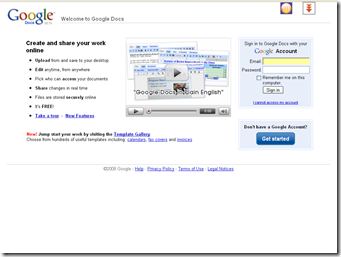
He did that and to his surprise his all affiliate links were functional in the PDF version of the e-book.
Therefore all you need is a Google email account. With this email account id then you can log on to the Google docs and create your own PDF documents with embedded URLs which are very much functional.
